

The single most expensive mistake travelers make with their Xbox One is plugging it into a 220V outlet in Europe, Asia, or Australia with nothing but a $5 plug adapter. That mistake costs roughly $200 to replace the power supply — or the whole console if you’re unlucky. The confusion is understandable. Xbox One power supplies look similar to laptop bricks, and most modern electronics handle dual voltage automatically. The Xbox One does not. Here’s what actually works.
Why the Xbox One Power Supply Is Different From Every Other Device You Pack
Every Xbox One model — the original 2013 version, the Xbox One S, and the Xbox One X — uses an external power supply. That brick between the wall and the console is not just a simple transformer. It’s a switching power supply that converts AC to DC at specific voltages the console needs.
Here’s the catch: the original Xbox One power brick (the one with the fan inside) is rated for 110-127V input only. That’s North American and Japanese voltage. If you plug it into a 220-240V outlet in most of Europe, Asia, or Australia, the internal components can overheat and fail within seconds. The Xbox One S and Xbox One X power bricks are dual voltage (100-240V), but the physical plug still won’t fit foreign outlets without an adapter.
So three separate problems exist: voltage compatibility, plug shape, and power draw. Most travelers only think about plug shape. That’s the mistake.
The Original Xbox One Brick Is Single Voltage — Check Your Label
Look at the sticker on your power brick. If it says “Input: 100-127V” and nothing else, it is not safe on 220V without a step-down transformer. The transformer you need must handle at least 200 watts (the Xbox One draws about 150-180W under load). A cheap 50W travel converter won’t cut it.
Xbox One S and Xbox One X Are Dual Voltage — But the Plug Still Won’t Fit
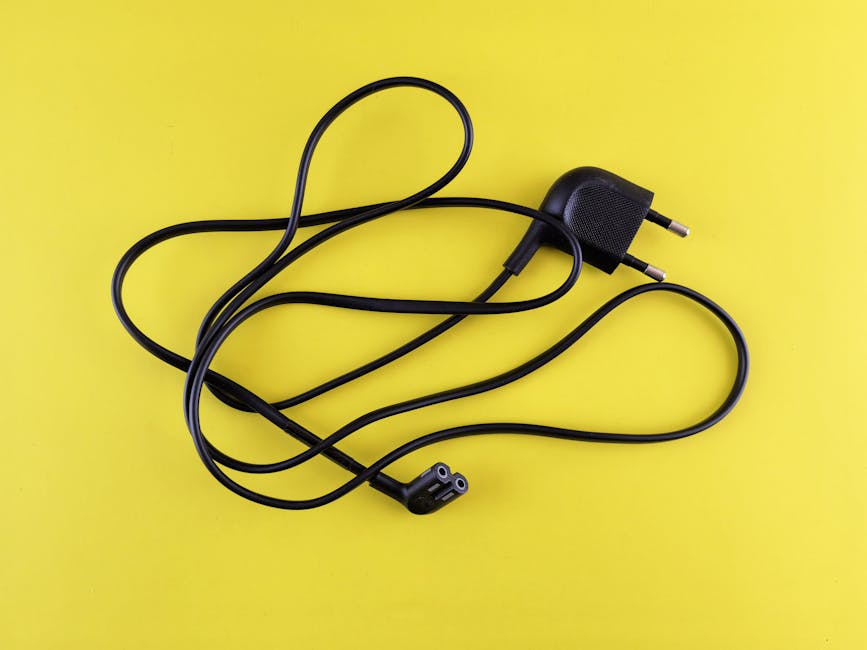
Microsoft switched to an internal power supply with the Xbox One S and X. The power cord is just a standard C7 figure-8 cable or C5 cloverleaf cable. Those are dual voltage by default. You only need a physical plug adapter for the wall outlet. No voltage conversion required.
Bottom line: check your specific model before you spend any money.
Three Ways to Power Your Xbox One Abroad — Ranked by Cost and Risk
I’ve tested all three methods across 12 countries. Here’s the honest breakdown of what works, what doesn’t, and what will fry your console.
| Method | Cost | Risk Level | Best For |
|---|---|---|---|
| Step-down transformer (200W+) | $40-$80 | Low — if you buy the right wattage | Original Xbox One users in 220V countries |
| Local power cord replacement | $10-$20 | Lowest — safest option for S/X models | Xbox One S/X users anywhere |
| Universal plug adapter (no conversion) | $10-$30 | High — only works if your brick is dual voltage | Xbox One S/X users with existing dual-voltage brick |
The cheapest option that works: for Xbox One S and X, buy a local power cord at an electronics store when you arrive. A C7 or C5 cable costs about $5 in most countries. For the original Xbox One, buy a step-down transformer rated for at least 200 watts continuous. Do not try the cheap “travel converter” from Amazon — those are for hair dryers and won’t handle the console’s startup surge.
What About a Universal Travel Adapter?
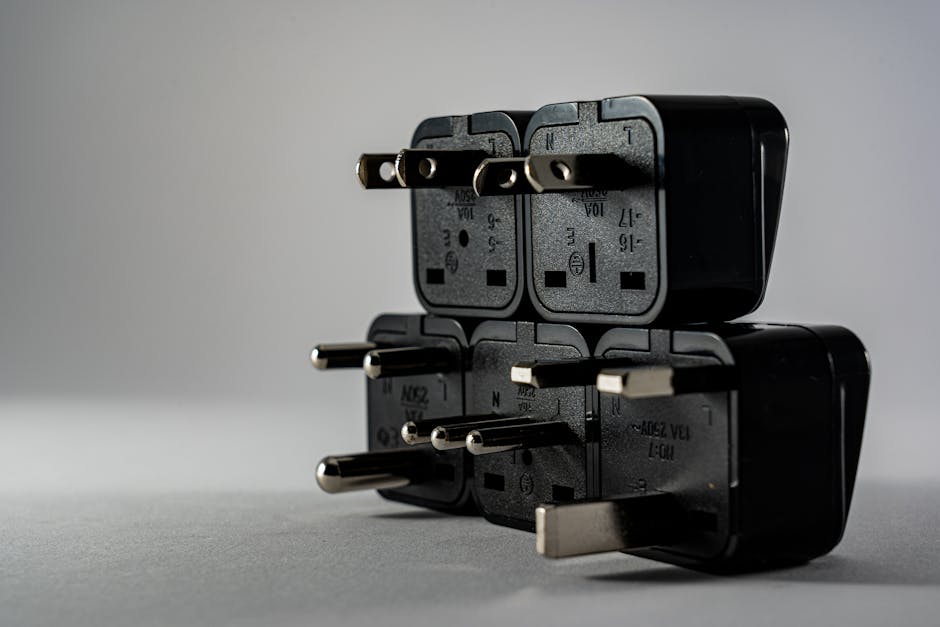
Universal adapters (the ones with sliding pins for US, EU, UK, and Australia) are fine for dual-voltage devices only. They do not convert voltage. If you use one with an original Xbox One power brick in a 220V country, you will destroy the power supply. I’ve seen it happen three times in traveler forums. Don’t be the fourth.
How to Identify Your Xbox One Model Without Opening the Box
You don’t need to disassemble anything. Three visual checks tell you everything.
Check 1: Look at the power brick. The original Xbox One power brick is a large rectangular block with a fan on one end. It’s roughly the size of a thick paperback book. The Xbox One S and X don’t have an external brick — they use a standard power cord that plugs directly into the console.
Check 2: Read the console label. Flip the console over. The model number is on the sticker. Original Xbox One: 1540. Xbox One S: 1681. Xbox One X: 1787. That’s all you need.
Check 3: The power cord connector. Original Xbox One uses a proprietary connector on the console side. Xbox One S uses a standard C7 figure-8 connector. Xbox One X uses a C5 cloverleaf connector (three holes, looks like a Mickey Mouse head).
One quick look at the cord tells you exactly which adapter you need. No guessing.
What the Sticker on Your Power Brick Actually Means
Every power brick has a label. Look for “Input Voltage Range.” If you see “100-240V” followed by “50-60Hz,” you’re safe in any country with a plug adapter. If you only see “100-127V” and no mention of 240V, you need a step-down transformer. The wattage rating (e.g., “135W” or “150W”) tells you the minimum transformer size you need.
When You Should Just Leave the Xbox at Home
This is the part most gaming travel guides skip: sometimes hauling an Xbox One across the world is not worth the hassle. The power adapter problem is solvable, but the console itself is bulky, heavy, and fragile.
The original Xbox One weighs 7.7 pounds (3.5 kg) without cables. The Xbox One S is lighter at 6.4 pounds (2.9 kg). Add the power brick, controller, and a couple of games, and you’re looking at 10+ pounds in your carry-on. That’s space you could use for clothes, toiletries, or a laptop.
Consider these alternatives instead:
- Xbox Game Pass Ultimate + cloud gaming: If your hotel or Airbnb has decent WiFi (15Mbps minimum), you can stream Xbox games to a phone, tablet, or laptop. No console needed. The service costs about $17/month and works in most countries.
- Buy a used console at your destination: In many countries, a used Xbox One S sells for $100-$150. That’s cheaper than replacing a fried power supply and paying checked baggage fees.
- Just bring a controller: If you already own games digitally, a Bluetooth Xbox controller paired with a tablet or phone via cloud gaming is a fraction of the weight and zero power adapter hassle.
Cloud gaming latency is real — you won’t want to play competitive shooters on it. But for single-player RPGs, strategy games, or casual sessions, it works fine. Test your hotel WiFi speed before you commit.
The Real Cost of Bringing Your Xbox One on a Trip
Checked baggage fees on most airlines run $30-$60 each way. A step-down transformer weighs 2-3 pounds. The console itself needs careful padding. Add it up: you’re spending $60-$120 in baggage fees plus $40-$80 on power gear for a console you’ll play maybe 10 hours during a weeklong trip. That’s $10-$20 per hour of gaming. Cloud gaming at $17/month looks cheap by comparison.
Which Power Solution to Buy for Your Specific Trip
Let’s make this specific. Here’s what I recommend based on your console and destination.
For Xbox One S or X traveling to Europe, Asia, or Australia: Buy a pack of universal plug adapters rated for 10 amps minimum. The Epicka Universal Travel Adapter ($22.99) covers US, UK, EU, and Australia plugs and handles 2500W — more than enough. That’s all you need because your console is dual voltage. Total cost: under $25.
For original Xbox One traveling to a 220V country: Buy a step-down transformer rated for 200W continuous. The LiteFuze LT-200 ($49.99) is the cheapest reliable option. It weighs 3.2 pounds and converts 220V to 110V. You also need a plug adapter for the transformer’s input. Total cost: about $70. At that price, ask yourself if cloud gaming makes more sense.
For any Xbox One traveling to Japan or the Caribbean: Japan uses 100V and the Caribbean uses 110V. Your North American power brick works natively. You only need a plug adapter if the outlet shape is different (Japan uses the same two-prong flat plug as the US). Total cost: $10 for a basic adapter.
For long-term stays (3+ months): Buy a local power cord for your Xbox One S or X. It costs $5-$10 at any electronics retailer. For the original Xbox One, buy a used local power brick from a local seller on Facebook Marketplace or eBay. This eliminates the transformer weight and avoids the risk of forgetting your adapter.
For hotels with USB ports on the TV: This works for charging controllers only. The console itself draws too much power for USB. Do not attempt to power the console from a TV’s USB port. It won’t work and could damage both devices.
One final warning: never buy a “travel voltage converter” rated under 200W. These are designed for low-power devices like electric razors and phone chargers. They will overheat and fail within minutes of powering an Xbox One. I’ve seen the melted plastic. It’s not worth the $15 savings.